Experience our Test Automation Suite for Life Sciences firsthand

Validation Automation Framework
Automate validation with a framework designed for life sciences environments. Standardized test structures, reusable test components, and step-level traceability help maintain clear links between requirements, test scripts, and execution results to support compliance and audit readiness.
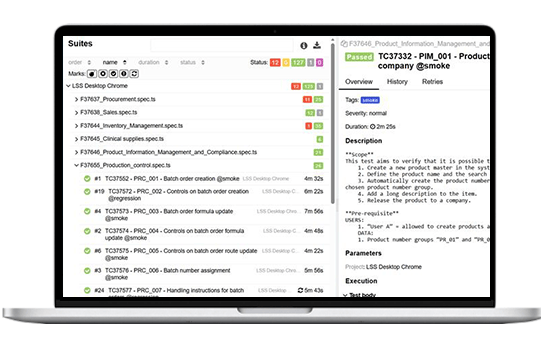
Prebuilt Test Library
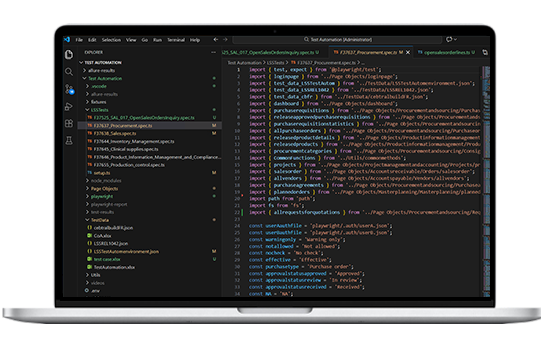
Start automation faster with a ready-to-use library of 100+ automated test cases for Microsoft Dynamics 365. Built from STAEDEAN Validation Toolkit assets, the library provides structured scripts for common life sciences processes that organizations can use immediately, adapt to their workflows, or expand over time. Built on Playwright, the framework enables parallel test execution to accelerate validation cycles.
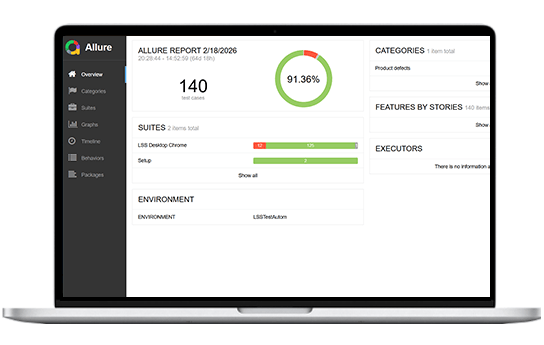
Automation Dashboard and Reporting
Gain clear visibility into test execution and release readiness through centralized dashboards. Real-time status tracking, pass/fail results, execution history, and defect trend insights help teams monitor validation progress and make informed release decisions.

Benefits

Automate regression and revalidation with a library of 100+ automated test cases, saving approximately 150 hours per validation cycle today and up to 500 hours as automation coverage expands.

Reduce the risk of failed releases and audit issues by testing more scenarios than manual testing allows and catching defects early with automation.

Execute validation and regression testing faster with automation designed specifically for life sciences environments.

Minimize testing activities across validation cycles so QA and IT teams can focus on higher-value validation and system improvement work.

Use consistent, automated test results to support faster and more informed release decisions during UAT, system updates, and go-live.

Maintain structured, traceable, and repeatable test execution that supports compliance with validation and regulatory requirements.
Key Functionalities
Validation Traceability

Validation Traceability
Maintain traceability between requirements, validation scripts, and execution results to support audit readiness and regulatory compliance.
Validation & Regression Testing

Validation & Regression Testing
Execute validation scripts automatically across Microsoft Dynamics 365 environments, ensuring system functionality and compliance requirements are consistently verified. Run regression tests whenever system updates, configuration changes, or new releases occur to ensure system stability and performance.
Prebuilt Automated Test Scripts

Prebuilt Automated Test Scripts
Access a structured library of automated test cases designed for common life sciences processes and GMP-critical workflows.
AI-Assisted Automation

AI-Assisted Automation
Expand automation coverage without increasing scripting effort. AI-assisted capabilities accelerate the creation of new automated tests while maintaining consistent architecture, governance, and validation discipline.
Real-Time Test Monitoring

Real-Time Test Monitoring
Track execution status, pass/fail results, and test performance through a centralized dashboard to gain immediate visibility into validation progress and system readiness.



 Massimo Crudeli


 Valentina Plafoni